
Guides / Comparisons
Feather vs the ChatGPT desktop app
The short answer
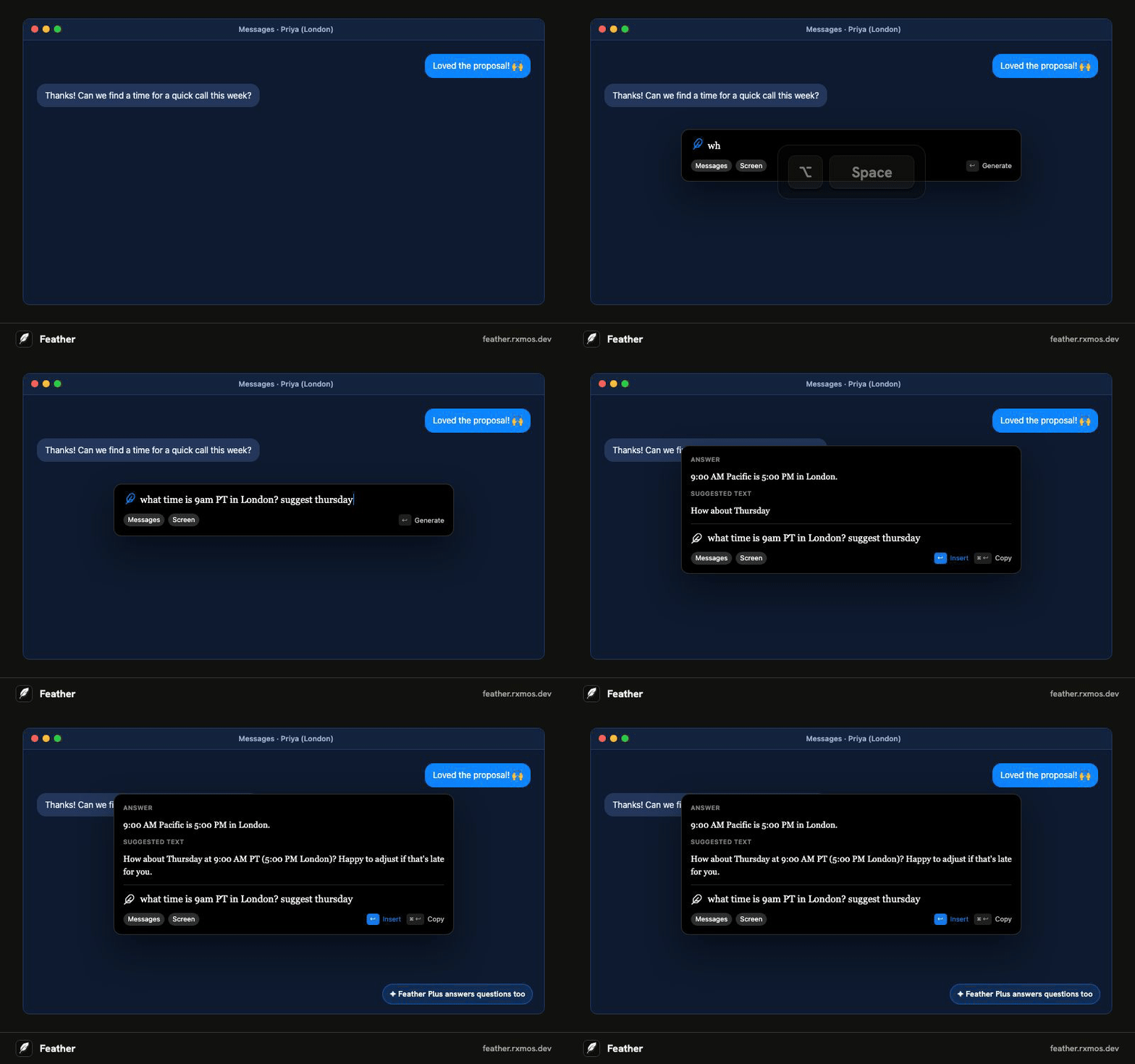
The ChatGPT app is a chat window: you bring the context to it and copy the answer back. Feather works the other way round: press its shortcut in the app you're writing in, and it reads the conversation on screen, writes the reply, and pastes it into the field. It can use your own OpenAI API key, so you can keep the models you already use.
Free with your own API key. Feather Plus needs no key.
| Feather | ChatGPT app | |
|---|---|---|
| Reads the window you're in | Yes, when you press the shortcut | You paste or share it |
| Pastes the reply into the field | Yes, with one key | You copy it back |
| Refine with follow-ups | Yes | Yes |
| Systems | macOS 14+, Windows 10+, Linux | See OpenAI's site |
| Models | OpenAI, Claude, OpenCode Go, or Feather Plus | OpenAI's |
| Open source | Yes, MIT | No |
No copy and paste
To answer an email with a chat assistant, you copy the email into the chat, ask for a reply, copy the reply, and paste it back. Feather does those steps for you: it reads the app, the window, the field, and your selection when you press the shortcut, and one key puts the reply where your cursor was.
Made for short writing in other apps
Feather's panel is small and opens over the app you're in. Follow-ups like “shorter” or “more casual” revise the last reply, and writing preferences you set once, like “no emojis”, apply to every reply.
For long research, files, or images, a chat app is still the better tool. Feather is for the many small things you write every day.
Models and price
Feather is free with your own OpenAI, Claude, or OpenCode Go API key, billed by that provider for what you use. Feather Plus needs no key, costs $4 a month or $36 a year (R$20 or R$180 in Brazil), and also answers questions before suggesting the text to send.
Questions
- Can Feather use my OpenAI account?
- Feather uses an OpenAI API key from the OpenAI Platform, billed by OpenAI for what you use. It doesn't sign in with a ChatGPT subscription.
- Does Feather keep my conversations?
- Only your last 5 instructions and replies, in a file on your computer, so ↑ can bring them back. Screen context is never saved.
More guides
- Feather vs Apple Writing Tools
How Feather compares with Apple Intelligence Writing Tools on the Mac: what each one does, which Macs and systems they run on, and when to use which.
- Feather vs Grammarly
Feather and Grammarly both work across your apps, but they do different jobs. How they compare on writing replies, grammar checks, privacy, and price.
- Write email replies with AI in any mail app
Reply to email faster with AI in Apple Mail, Outlook, Gmail in the browser, or any other mail app. Press a shortcut, say what to answer, and Feather writes and pastes the reply.
- AI replies in Slack, WhatsApp, Teams, and Discord
Write chat replies with AI in Slack, WhatsApp, Microsoft Teams, Discord, or Telegram without copy and paste. Feather reads the conversation and pastes the reply.
- Translate text in any app with a keyboard shortcut
Translate a message, or reply in another language, without leaving the app you're in. Feather translates on a shortcut and pastes the result into the field.
- Rewrite and fix text with AI in any app
Make what you wrote shorter, clearer, more formal, or grammatically correct, right in the field you're typing in. Feather rewrites on a shortcut and pastes it back.
- Use your own OpenAI or Claude API key in any app
Feather is a free, open-source writing assistant that runs on your own OpenAI, Claude, or OpenCode Go API key. Press a shortcut in any app and the reply goes straight into the field.
- AI writing tools on an Intel Mac
Apple Intelligence and its Writing Tools need a Mac with Apple silicon. Feather brings AI drafting, rewriting, and translation to Intel Macs on macOS 14 or later.
- An AI writing assistant for Linux
Feather is an open-source AI writing assistant for Linux. Press a shortcut in any app, say what to write, and it drafts the reply from the window you're in. AppImage, X11 or Wayland.