
Guides / Use cases
Rewrite, shorten, or fix text in any app
The short answer
Write your rough draft in any text field, press Feather's shortcut, and ask “fix the grammar but keep my wording”, “make it more formal”, or “cut it in half”. Feather reads the text in the field, rewrites it, and replaces it when you press Return.
Free with your own API key. Feather Plus needs no key.
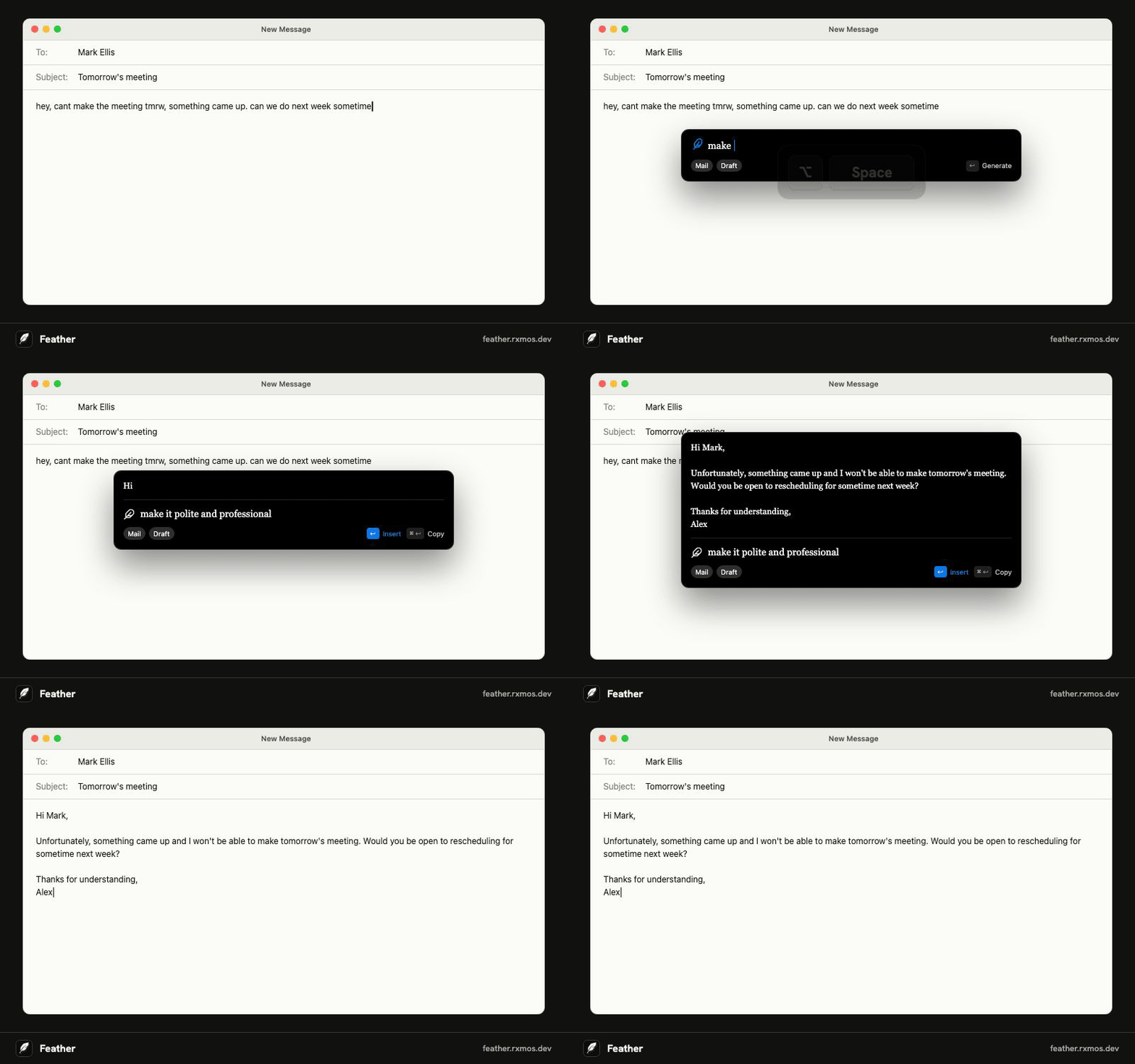
Your words, cleaned up
Feather reads the text in the field you're in and your selection, so you don't need to copy anything. Ask for exactly the change you want, and it keeps the rest of what you wrote.
Keep going until it sounds like you
Each follow-up revises the last version: “shorter”, “less stiff”, “put the question first”. ⌘ R (Ctrl R on Windows) writes another take from scratch.
Anywhere you type
Docs, email, chat, browser forms, issue trackers, CRMs. If you can type in it, Feather can rewrite it. If an app doesn't accept the paste, Feather copies the result instead.
Questions
- Will it change my meaning?
- Ask for the change you want and it keeps the rest. “Fix the grammar but keep my wording” only corrects mistakes.
- Do I need an account?
- No. With your own OpenAI, Claude, or OpenCode Go API key, Feather works without one. A free account keeps your reply settings on every computer you use, and Feather Plus needs one.
More guides
- Feather vs Apple Writing Tools
How Feather compares with Apple Intelligence Writing Tools on the Mac: what each one does, which Macs and systems they run on, and when to use which.
- Feather vs Grammarly
Feather and Grammarly both work across your apps, but they do different jobs. How they compare on writing replies, grammar checks, privacy, and price.
- Feather vs the ChatGPT desktop app
Why use Feather when you have ChatGPT? How the two compare for writing replies in other apps: context, copy and paste, models, and price.
- Write email replies with AI in any mail app
Reply to email faster with AI in Apple Mail, Outlook, Gmail in the browser, or any other mail app. Press a shortcut, say what to answer, and Feather writes and pastes the reply.
- AI replies in Slack, WhatsApp, Teams, and Discord
Write chat replies with AI in Slack, WhatsApp, Microsoft Teams, Discord, or Telegram without copy and paste. Feather reads the conversation and pastes the reply.
- Translate text in any app with a keyboard shortcut
Translate a message, or reply in another language, without leaving the app you're in. Feather translates on a shortcut and pastes the result into the field.
- Use your own OpenAI or Claude API key in any app
Feather is a free, open-source writing assistant that runs on your own OpenAI, Claude, or OpenCode Go API key. Press a shortcut in any app and the reply goes straight into the field.
- AI writing tools on an Intel Mac
Apple Intelligence and its Writing Tools need a Mac with Apple silicon. Feather brings AI drafting, rewriting, and translation to Intel Macs on macOS 14 or later.
- An AI writing assistant for Linux
Feather is an open-source AI writing assistant for Linux. Press a shortcut in any app, say what to write, and it drafts the reply from the window you're in. AppImage, X11 or Wayland.